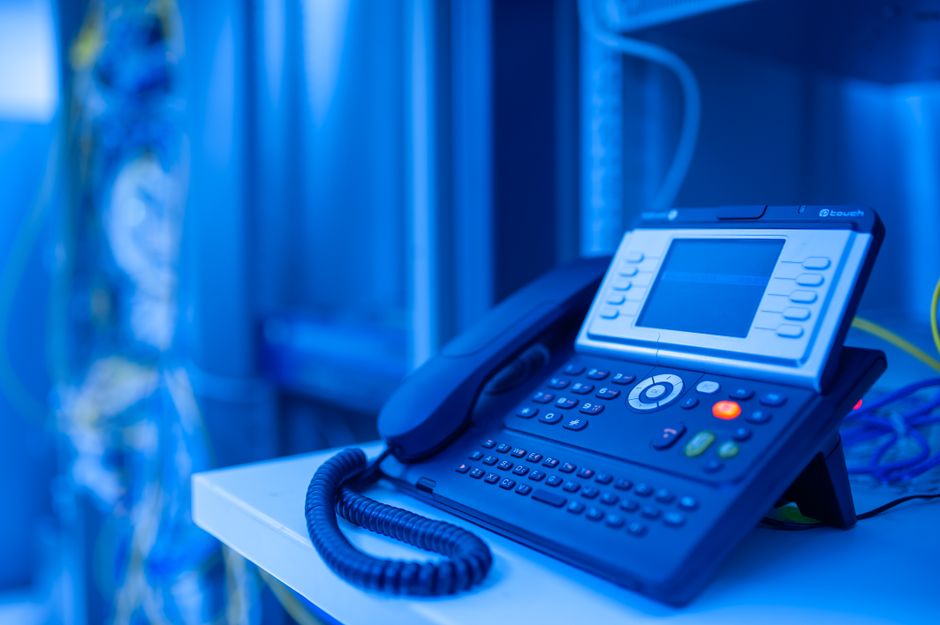
What This Guide Covers
This guide will explain the key differences between various types of VoIP desk phones and headsets so you can match the hardware to your team’s specific job roles. You will learn how to evaluate the real total cost of ownership, not just the sticker price, including hidden fees and replacement cycles. We will walk through the critical features that matter for call clarity and user comfort, and which ones are safe to ignore for a small business. You will get specific, vetted recommendations for both desk phones and headsets that are proven to work well in small office environments. Finally, we will cover the practical steps for setting up your new equipment, even if you don’t have a dedicated IT person on staff.
Why Your Small Business Needs the Right VoIP Hardware
Your phone system is a direct connection to your customers, donors, and partners. When you switch to a Voice over Internet Protocol (VoIP) system, your calls run over your internet connection instead of old-fashioned phone lines. This gives you powerful features and often lowers your monthly bill, but it also means the physical hardware—the phone on the desk and the headset on your ear—is more important than ever.
The wrong hardware creates immediate problems. Cheap, consumer-grade headsets lead to muffled audio and background noise, making your business sound unprofessional. Incompatible desk phones cause dropped calls, malfunctioning features, and endless troubleshooting headaches. Your staff gets frustrated, and callers have a poor experience.
The real issue here is that the hardware is the part of the system you and your team interact with every day. If the phone is confusing or the headset is uncomfortable, the entire multi-thousand-dollar phone system feels broken. Investing in quality, compatible hardware is a small price to pay for clear, reliable communication that just works.
Key Factors for Choosing VoIP Headsets and Desk Phones
When you’re evaluating options, the sheer number of models can be overwhelming. In my experience, small organizations can cut through the noise by focusing on four practical factors. Forget about obscure features and marketing buzzwords; these are the things that determine if a device will be a helpful tool or a constant problem.
1. Total Real Cost
The price on the box is only the beginning. The total cost of ownership includes the initial purchase price, but also the cost of any necessary accessories, replacement parts, and the expected lifespan of the device. A cheap wireless headset, for example, might seem like a deal until you have to replace its non-removable battery in 18 months, forcing you to buy a whole new unit.
Look at the warranty period. A one-year warranty on a desk phone is standard, but some higher-quality models offer longer terms. For headsets, consider the cost of replacing ear cushions and microphone windscreens, which are consumable parts that wear out with daily use. A slightly more expensive headset that is built for office use will almost always be cheaper in the long run than a consumer model that isn’t designed for all-day wear.
2. Setup Burden
How much time and technical skill does it take to get this device working? For a small business without an IT department, the answer should be “as little as possible.” The gold standard here is something called “zero-touch provisioning.” This means your VoIP service provider can pre-configure the desk phone for your account before they even ship it to you. All you have to do is plug it into your network, and it automatically connects and sets itself up.
If a device requires you to log into a web-based configuration panel and manually enter server addresses, SIP credentials, and port numbers, it’s the wrong device for you. That kind of setup is a recipe for errors . Always ask a potential VoIP provider if they support zero-touch provisioning for the hardware you’re considering.
3. Ongoing Management
Once the hardware is set up, your goal is to never think about it again. Good office hardware is low-maintenance. It should handle firmware updates automatically, usually pushed out by your service provider during off-hours. You shouldn’t have to manually update every phone on your own.
Consider the physical management, too. Wireless devices introduce complexity. You have to manage charging, deal with pairing issues, and keep track of tiny USB dongles. A simple wired phone or headset has none of these problems. If it stops working, you check the cable, and if that doesn’t fix it, you replace it. This simplicity is a significant advantage in a busy office.
4. Vendor Support & Compatibility
This is the most important factor. Never buy a VoIP phone or headset that is not on your VoIP provider’s official, certified compatibility list. It doesn’t matter if the hardware is great; if your provider doesn’t support it, you are on your own when something goes wrong. Their technical support will not be able to help you troubleshoot, and they can’t guarantee that all your phone system features will work correctly.
Choosing a supported device means you have a single point of contact for help. If you have a call quality issue, you can call your provider, and they can diagnose the entire system, from their servers right down to the device on your desk. This alignment between the service and the hardware is what makes a VoIP system reliable.
Top VoIP Desk Phone Picks for Small Offices
For desk phones, consistency and reliability are paramount. You want a device that feels solid, has clear audio, and is easy for anyone to use without a training manual. The following models are industry workhorses, widely supported by VoIP providers and proven to last for years in demanding office environments. Prices are current as of this writing.
Poly VVX 250
Poly, formerly Polycom, is one of the most respected names in business communications. The VVX 250 is a modern, mid-range IP phone that hits the sweet spot for most office users. It’s currently listed on Amazon for $45.00. It has a color screen, four line keys, and excellent audio quality thanks to Poly’s HD Voice technology.
Its real strength is its universal support. It’s hard to find a serious business VoIP provider that doesn’t fully support the VVX series for zero-touch provisioning. It’s built for a corporate environment, meaning its construction is durable and its software is stable. While its initial cost is higher than entry-level models, its long lifespan and rock-solid performance make it a sound investment.
Yealink SIP-T31P
Yealink has become a dominant force in the VoIP hardware market by offering a fantastic balance of features, quality, and price. The SIP-T31P is a perfect example. It’s an entry-level business phone, but it doesn’t feel cheap, even though it is currently listed for $52.00. It has a backlit graphical LCD, two line keys, and HD audio.
The T31P is the ideal choice for outfitting a whole office on a sensible budget. Like the Poly, it is almost universally supported by VoIP providers for auto-provisioning. It provides all the essential functions a standard office worker needs in a simple, reliable package. For common areas, break rooms, or staff with moderate call volume, this phone is often the most practical and cost-effective option.
Grandstream GRP2612
Grandstream is another popular brand known for delivering a lot of features at a competitive price point. The GRP2612 is a carrier-grade phone that often comes in at a lower price than comparable models from Poly or Yealink. It features a color screen and support for up to 16 virtual multi-purpose keys, making it flexible for various roles. It’s going for around $60.
It is widely supported for provisioning, though in practice, some providers have deeper integration with Poly and Yealink. The build quality is good, and it’s a capable phone for any business looking to maximize its hardware budget, especially when purchasing many units at once. It’s a strong contender that delivers excellent value.
Leading VoIP Headset Choices for Small Business
A good headset can be more important than the phone itself for call clarity. A noise-canceling microphone is not an optional feature; it’s essential for blocking out the sounds of a busy office so your callers can hear you clearly. Comfort is also critical for anyone who spends a significant part of their day on the phone.
Jabra Evolve 20 (Wired)
For a wired headset, the Jabra Evolve 20 is a fantastic starting point. It connects via USB to a computer (for softphone users) or a USB-equipped desk phone. It’s lightweight, comfortable enough for all-day use, and features a great noise-canceling microphone that effectively isolates your voice.
The setup is non-existent: you just plug it in. There are no batteries to charge and no wireless signals to drop. It includes an inline controller for muting the call, adjusting volume, and answering/ending calls in most softphone applications. For its low cost, it provides professional-grade audio quality that makes a huge difference in how you sound to clients. You can get the stereo model for $45.00, or $40.00 for the single ear model.
Poly Voyager 4320 UC (Wireless)
If a user has a legitimate business need for mobility while on a call, the Poly Voyager 4320 UC is an excellent wireless choice. It connects via Bluetooth or a dedicated USB dongle, which provides a more stable connection in an office with a lot of wireless interference. The audio quality is very good, and its microphone features Acoustic Fence technology that creates a virtual “bubble” around you, blocking out distracting background noise.
The trade-off is cost and complexity. It’s significantly more expensive than a wired model, and you have to manage its battery life (up to 24 hours of talk time). However, for a manager who needs to walk to a filing cabinet or a team member who multitasks away from their desk, the freedom it provides can be worth the investment. This is currently listed for $134.00 on Amazon.
| Product | Real Total Cost | Setup Burden | Ongoing Management | Vendor Support |
|---|---|---|---|---|
| Poly VVX 250 | Higher initial price but offers a very long service life, making it a good long-term value. | Extremely low when using zero-touch provisioning from a supportive VoIP provider. | Effectively none, as firmware and configuration are managed by the service provider. | Considered a gold standard with near-universal support from business VoIP providers. |
| Yealink SIP-T31P | Low initial cost, making it highly effective for equipping multiple users on a budget. | Also extremely low, as it is one of the most common phones for provider auto-provisioning. | Minimal; it’s a reliable workhorse that requires little to no direct intervention. | Excellent and widespread support across the entire VoIP industry. |
| Jabra Evolve 20 | Very low initial cost with no recurring costs for batteries or complex accessories. | None, as it is a simple plug-and-play USB device recognized by all modern systems. | None beyond occasionally replacing the inexpensive foam ear cushions after heavy use. | Strong manufacturer warranty and universally compatible with any system using USB audio. |
| Poly Voyager 4320 UC | High initial cost, plus the eventual cost of battery degradation over its 2-3 year lifespan. | Low; involves a simple pairing process with the included USB dongle or standard Bluetooth. | Requires daily charging and occasional firmware updates via a simple desktop application. | Excellent manufacturer support and certified for use with all major communication platforms. |
Wired vs. Wireless: Which Option is Best for Your Team?
The choice between a wired and wireless headset is a common decision point. While wireless seems more modern, the practical realities of an office environment often favor the simplicity of a wire.
A wired headset offers three distinct advantages. First, it’s significantly less expensive. You can often buy three or four high-quality wired headsets for the price of one comparable wireless model. Second, it’s more reliable. There is no battery to die mid-call, no charging dock to worry about, and no risk of wireless interference from the dozens of other devices in your office. Third, for the same amount of money, a wired headset will always provide better audio quality.
A wireless headset offers one primary advantage: freedom of movement. For staff who need to access physical files, check on inventory, or confer with a colleague across the room while on a call, or, if you are like me, you need to walk while you talk, this mobility is a genuine productivity booster. The main drawbacks are the higher cost, the need to manage battery life, and the potential for a less stable connection compared to a physical cable.
In practice, the best strategy is to make a high-quality wired headset the default for all employees. Provide a wireless headset only to those team members who have a clear, job-related need to be mobile while on calls. This approach controls costs and minimizes technical support issues for the majority of your users.
Simple Steps to Set Up Your New VoIP Hardware
If you’ve chosen hardware that your provider supports with zero-touch provisioning, the setup process is remarkably simple.
For Desk Phones:
- Confirm Provisioning: Before you do anything, confirm with your VoIP provider that they have added the phone’s unique MAC address (usually on a sticker on the back) to your account and enabled it for auto-configuration.
- Connect Cables: Unbox the phone. Plug the coiled handset cord into the handset and the corresponding port on the phone body. Connect the Ethernet cable from your wall network jack to the port labeled “LAN” or “SW” on the back of the phone.
- Power Up: Most business networks provide Power over Ethernet (PoE), which sends electricity through the network cable, eliminating the need for a separate power adapter. If your network has PoE, the phone will simply turn on. If not, connect the AC power adapter that came with the phone.
- Wait: The phone will now boot up. It may restart several times as it downloads its configuration file and any necessary firmware updates from your provider. Do not unplug it during this process. After a few minutes, it will display your extension number and be ready to make calls.
For Headsets:
- Wired USB Headsets: Plug the headset’s USB connector into a free USB port on your computer or on your desk phone (if it has one). Your computer’s operating system and your softphone application should automatically detect it and set it as the primary audio device.
- Wireless Headsets: First, fully charge the headset using its included base or cable. If it came with a USB dongle, plug that into your computer. Turn the headset on; it should pair with the dongle automatically. Open your softphone’s audio settings and select the headset as your microphone and speaker.
Making Your Final Decision: A Quick Checklist
Use these questions to ensure you’ve covered all the critical bases before placing an order.
- [ ] Have I confirmed my chosen desk phones and headsets are on my VoIP service provider’s official support list?
- [ ] Have I decided which users need a physical desk phone versus those who can work effectively with a software-based “softphone” and a headset?
- [ ] Have I selected a quality wired headset as the standard-issue device for my team to ensure reliability and control costs?
- [ ] For the few users who require mobility, have I selected a specific wireless headset and budgeted for its higher purchase price?
- [ ] Have I explicitly asked my VoIP provider if they will pre-configure the hardware using zero-touch provisioning?
- [ ] Does my budget account for one or two spare phones and headsets to have on hand for quick replacements?
Our Recommendation
For most small businesses and non-profits, the best starting point is a combination of a Yealink SIP-T31P desk phone and a Jabra Evolve 20 wired USB headset for each user. This setup provides the best balance of low cost, high reliability, and near-zero setup burden, as these models are universally supported by VoIP providers for pre-configuration. It delivers professional call quality without the complexity and recurring costs of wireless hardware.
Frequently Asked Questions
Do I really need a dedicated desk phone, or can a headset suffice?
A headset combined with a computer “softphone” application can absolutely suffice and is a great way to save on hardware costs. However, a dedicated desk phone is often more reliable as it doesn’t compete for resources with other computer programs, and many non-technical staff find it simpler and more intuitive to use.
What’s the main difference between wired and wireless VoIP headsets?
The primary differences are cost, reliability, and mobility. Wired headsets are less expensive, more reliable, and offer better audio quality for the price. Wireless headsets provide the freedom to move around while on a call but come at a higher cost, require daily charging, and have a small potential for wireless interference.
How much should a small business budget for quality VoIP hardware?
A good starting point is to budget $80-$150 per employee for a quality, entry-level business desk phone and another $40-$60 for a solid wired headset. High-end phones and wireless headsets can increase that cost significantly, with some wireless models costing $200-$300 or more. Always check with your provider for bundle deals or rental options.
Are all VoIP phones and headsets compatible with any VoIP service provider?
No, they are not. It is absolutely critical to choose hardware that is officially listed as supported and certified by your specific VoIP provider. Using unsupported hardware will likely lead to configuration problems, missing features, and a complete lack of technical support from your provider when you encounter an issue.
What essential features should I look for in a VoIP headset for my team?
Focus on three essential features: a noise-canceling microphone to ensure callers hear you clearly over office chatter, good two-way audio quality, and a comfortable, lightweight design for all-day wear. For wired headsets, an inline control unit to mute the microphone and adjust volume is also a highly practical feature.
Choosing the right VoIP hardware is a foundational IT decision that pays dividends in productivity and professionalism. By focusing on provider compatibility, proven reliability, and the real total cost, you can equip your team with tools that enhance communication without creating technical headaches. Start with a solid desk phone and a simple wired headset, and you will build a phone system that serves your organization well for years to come.